

Smart plugs let us control appliances and lights from our phones, voice assistants, or schedules, turning ordinary devices into parts of a smarter home. They range from simple on/off timers to energy-monitoring outlets and multi-plug hubs, and they can add convenience, safety, and small energy savings without replacing existing devices.
The most important thing to evaluate is compatibility — with your outlets, Wi‑Fi network, and smart‑home ecosystem — because an otherwise great plug is useless if it won’t connect or fit.
We focus on how well plugs perform day‑to‑day: ease of setup, reliability of remote and automated control, load capacity, and any energy-monitoring accuracy. Our buying guide and best-of list weigh those factors along with size, build quality, and any required subscriptions so you can pick a smart plug that actually works with your setup and habits.
Best Smart Plugs
Below is our carefully tested list of the best smart plugs for home automation. We evaluated ease of setup, reliability, app features, and compatibility so you can pick the right plug for lights, appliances, or scheduled routines.
Ring Smart Plug
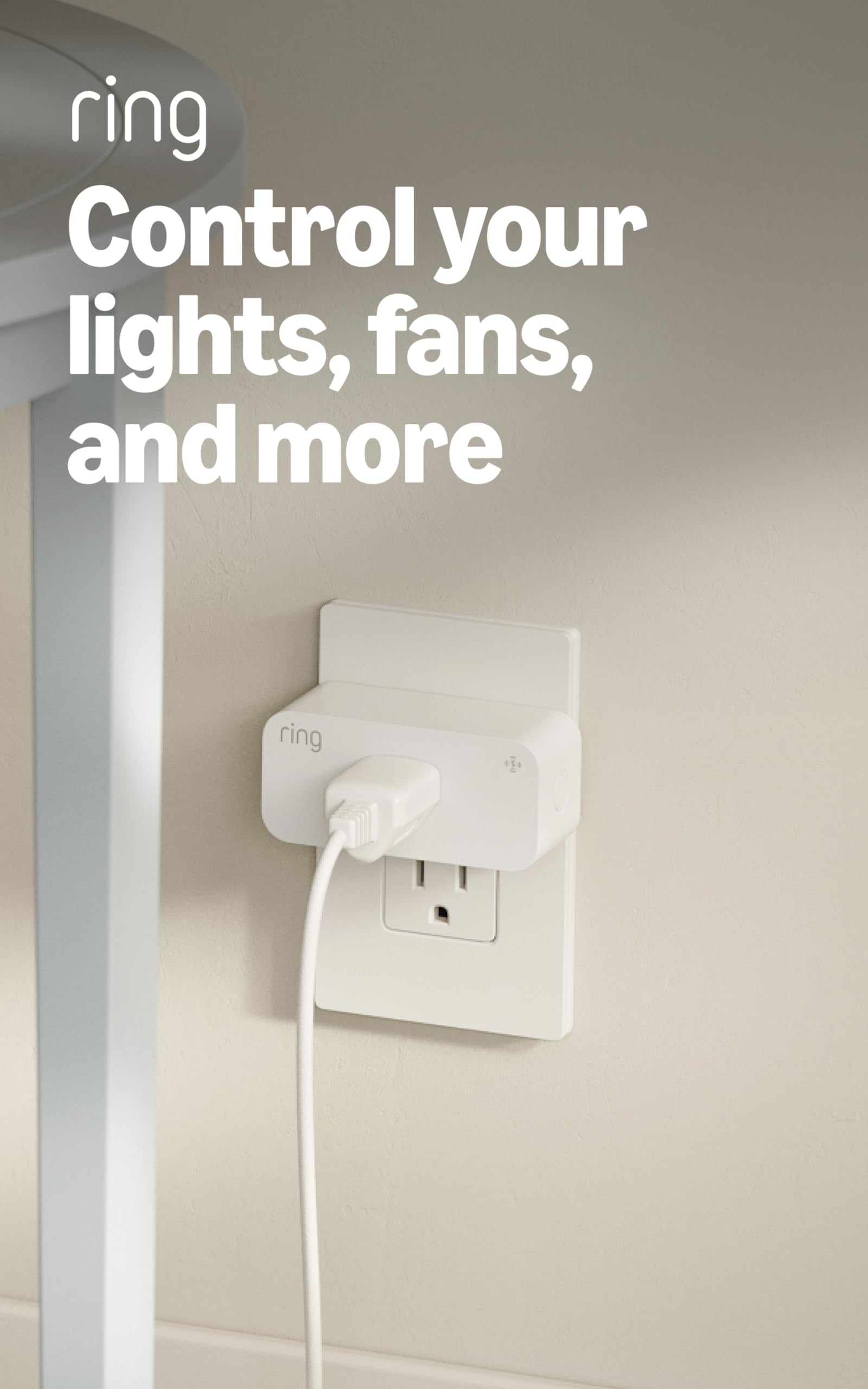
We recommend this smart plug if you want simple indoor automation tied into Ring and Amazon services for lights and small appliances.
Pros
- Easy setup with no hub — it paired quickly through the Ring app.
- Works with motion alerts — lights came on automatically when cameras detected activity.
- Useful offline reach — Amazon Sidewalk helped maintain control at the edge of Wi‑Fi.
Cons
- Requires Amazon Sidewalk — that dependency may concern some users.
- Indoor only — not a fit for porches or wet locations.
- Limited to 15A devices — won’t suit heavy appliances.
We plugged the Ring Smart Plug into a living room outlet and had it connected in minutes through the Ring app. The interface felt familiar if you already use Ring or Alexa, and creating schedules took only a few taps.
Using it with a Ring camera made routines feel smarter: lights came on when motion triggered and we could tie routines to doorbell events. That responsiveness cut down on fumbling for switches in dim entryways.
Sidewalk coverage kept the plug reachable at the far end of our apartment where Wi‑Fi dropped, but that feature depends on the neighborhood network and your comfort with sharing bandwidth. For strictly outdoor or high‑load uses, pick a different model.
Amazon Smart Plug — Alexa Plug (1-pack)
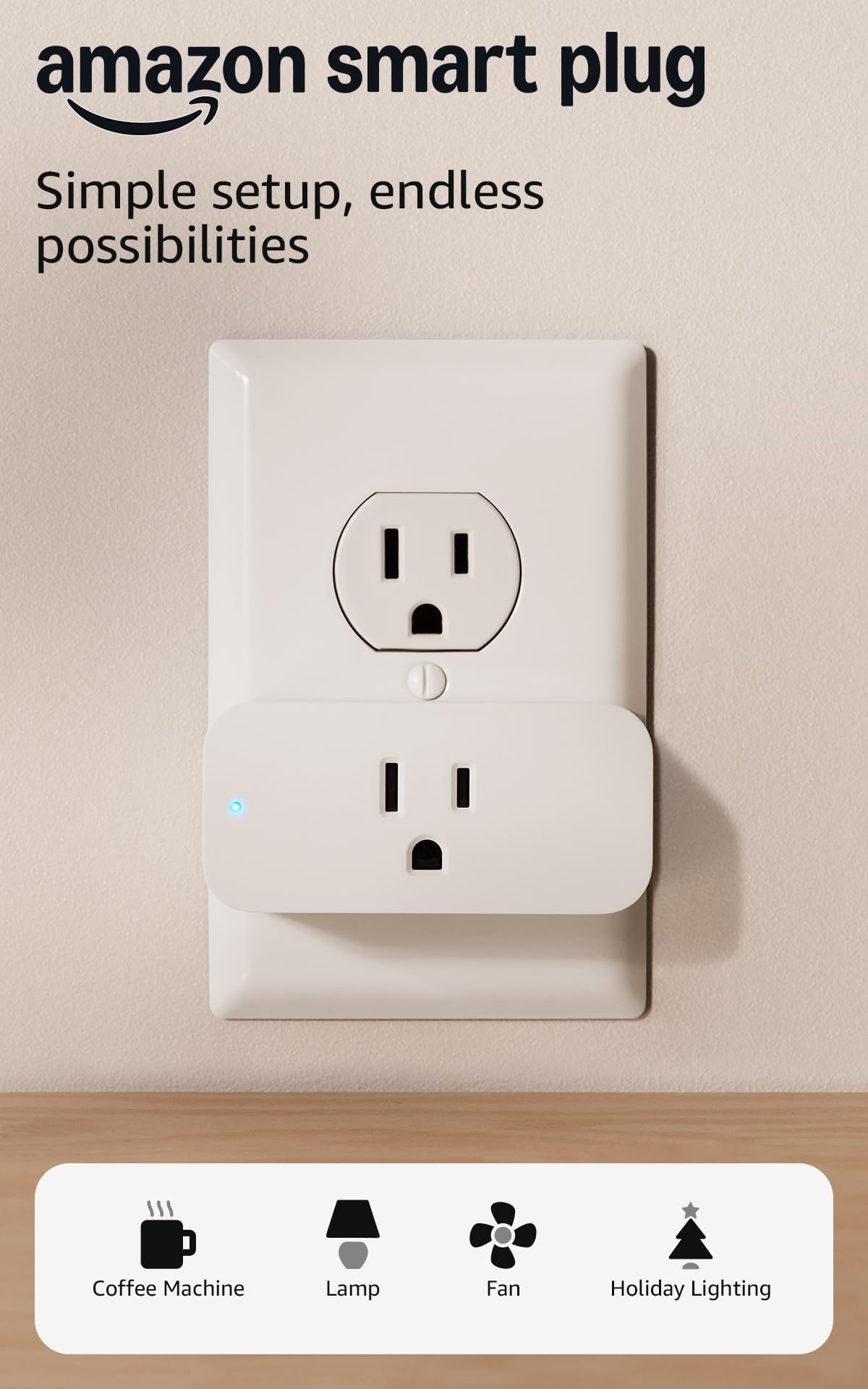
We recommend this plug if you want a simple, reliable way to add Alexa voice control to lamps and small appliances without a hub.
Pros
- Setup really is fast using the Alexa app.
- Compact design leaves the second outlet usable.
- Reliable reconnect after power or Wi‑Fi blips.
Cons
- Works only with Alexa — no Google or Siri support.
- Requires 2.4 GHz Wi‑Fi networks, not 5 GHz.
- Limited to indoor, basic on/off control (no advanced energy reporting).
We plugged this into a lamp and a holiday string of lights and got it running in minutes. The Alexa app detected it quickly, naming and adding it to a routine felt intuitive, and voice commands responded without lag.
Using it day to day felt dependable; routines fired as scheduled and the plug rejoined Alexa after a brief outage without manual steps. The small footprint kept the lower outlet free on our duplex wall plate, which mattered when we daisy‑chained devices.
Don’t expect deep smart‑home telemetry or cross‑assistant support. If you need simple on/off automation controlled by Alexa and want something that just works, this is a practical, low‑fuss choice.
Amazon Smart Plug — Alexa Plug (1-pack)
Kasa Smart Plug Mini (4-Pack)

We recommend this pack when you want reliable, compact smart outlets that just work with Alexa/Google and don’t need a hub.
Pros
- Very compact — won’t block the second socket on most outlets.
- Stable connection and quick responses once set up.
- Useful scheduling and away modes for convenience and energy savings.
Cons
- Setup through the Kasa app can be glitchy at times.
- Only supports 2.4 GHz Wi‑Fi, which may confuse some networks.
- Limited to simple on/off control without advanced energy monitoring.
We plugged these into lamps and fans throughout the house and they fit neatly without crowding the other outlet. The physical build feels solid and the push button is easy to use when you want a manual override.
During daily use the plugs responded instantly to voice and app commands after initial pairing. Schedules and timers worked reliably and Away Mode gave us a believable lived-in appearance when we were away.
Initial setup required patience — the app’s pairing flow occasionally stalled and we had to re-run the process a couple of times. Once on the network, though, they remained connected through power cycles and performed without drama.
If you want straightforward smart control for lighting and small appliances and prefer a no-hub solution, this 4-pack delivers consistent performance and compact design.
AiSeek Mini Smart Plug (4-Pack)
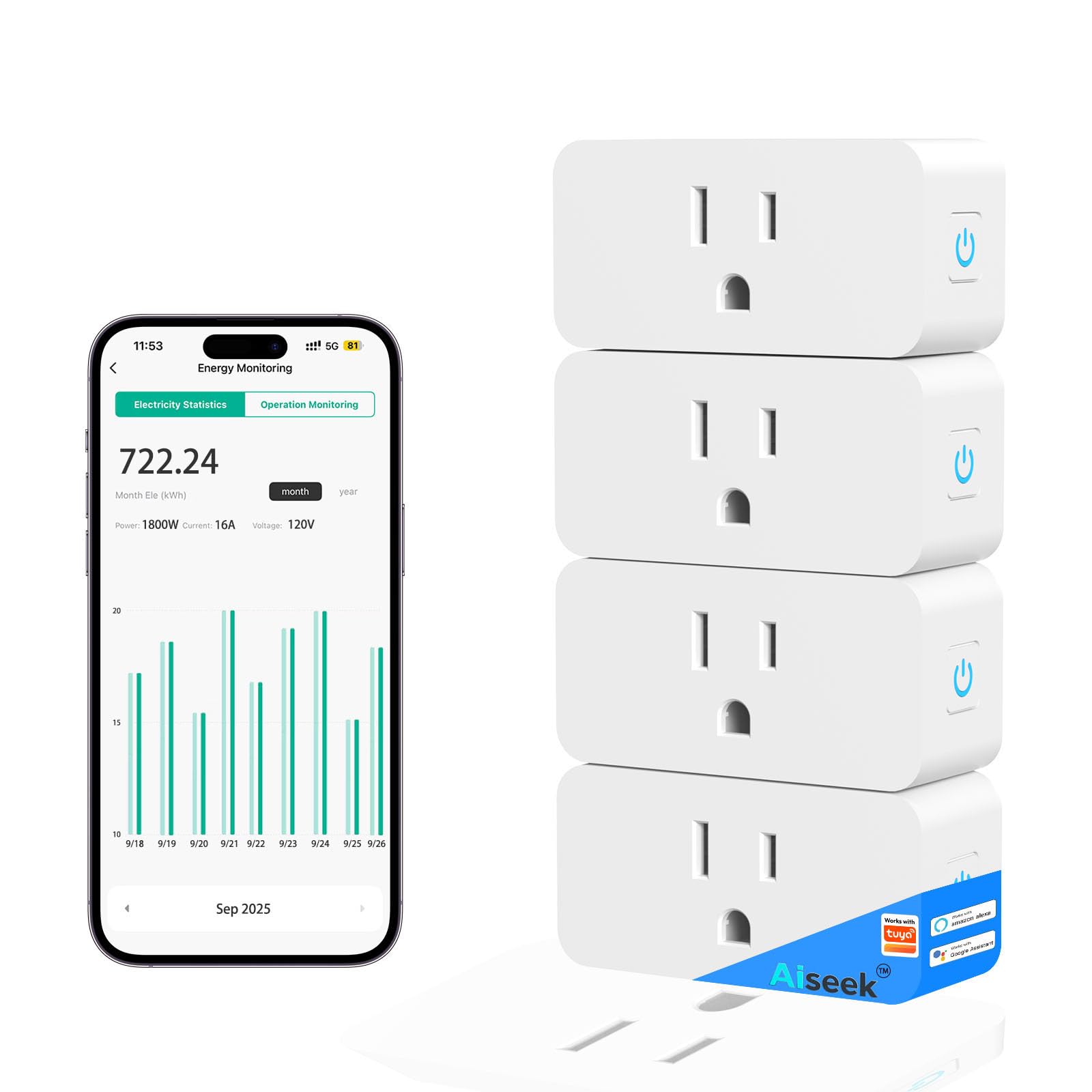
We recommend this pack if you want small, reliable smart outlets that track energy use and work with Alexa/Google for basic home automation.
Pros
- Compact size fits side-by-side without blocking the second outlet.
- Energy monitoring and scheduling help cut standby power use.
- Simple setup with Smart Life/Tuya and dependable voice control.
Cons
- Requires 2.4 GHz Wi‑Fi only, no 5 GHz support.
- App-dependent features can feel limited compared with some brand apps.
- Lacks advanced automation and per-outlet surge protection detail.
We tested the AiSeek mini plugs around lamps, a fan, and a holiday tree. They paired quickly via the Smart Life/Tuya flow and stayed connected on our home 2.4 GHz network with no frequent dropouts.
The energy readouts matched our handheld meter closely enough for everyday monitoring, and the schedule/timer options let us stop leaving lights on overnight. Grouping multiple outlets and toggling them together made controlling a cluster of devices painless.
Physically, the plugs are small and use little space on a power strip. The housing feels solid and the FCC/ETL-style safety claims give us confidence for normal household loads up to the listed capacity.
We noticed app menus are basic compared to some premium ecosystems; if you want deep automations or native app polish, this may not be the best fit. Still, for straightforward remote control, timers, and simple energy tracking at a wallet-friendly price, these delivered consistent performance.
GHome Smart Plug

We recommend this if you want an affordable, compact smart outlet that reliably handles lamps and small appliances via Alexa/Google and the GHome/Smart Life/Tuya apps.
Pros
- Small profile fits tight spaces and doesn’t block second outlet.
- Easy app setup and responsive voice control after pairing.
- Simple scheduling and remote control that work from anywhere.
Cons
- 2.4 GHz only — you must use the correct Wi‑Fi band.
- Occasional schedule hiccups reported long‑term on heavy schedules.
- Needs initial app pairing before Alexa/Google will control it.
We put several of these in living areas and by bedside lamps. The plug is compact, so it sat flush with a flat‑blade cord and didn’t crowd the second outlet. Setup through the GHome/Smart Life app was straightforward and the unit connected quickly on our 2.4 GHz network.
Voice commands through Alexa and Google Assistant felt natural after linking accounts; response times were snappy for on/off and scene commands. Grouping multiple plugs into one routine made controlling several lamps at once convenient, and sharing access with family worked without fuss.
After a few months of use the scheduling stayed consistent for basic on/off routines, but one of our units missed an event after a complex daily cycle — something to watch if you rely on strict timing for pet or appliance schedules. Still, for everyday lamp control, holiday lights, or remote power switching, these plugs deliver solid value and reliable performance.
Buy the GHome Smart Plug on Amazon
Buying Guide
We focus on the features that matter when choosing a smart plug and explain why they affect daily use. Start by matching the plug’s power rating to the devices you plan to control. Exceeding the rated load risks failure or a safety hazard.
We check compatibility with your smart-home ecosystem and voice assistants first. Native app support and reliable local control reduce lag and dependency on cloud services.
We weigh connectivity options: Wi‑Fi for direct control, and Zigbee/Z‑Wave for mesh stability. Consider range and whether your home needs a repeater-capable hub to avoid dead zones.
We prioritize safety features like overload protection, ground-fault interruption, and certified electrical ratings. These features matter for heating devices, ovens, and other high-draw equipment.
We evaluate scheduling, automation, and energy monitoring capabilities. Basic on/off scheduling is useful; energy reporting helps identify power hogs and estimate savings.
We inspect form factor and outlet spacing to preserve adjacent sockets. A compact plug keeps other outlets usable; stacked or bulky plugs can block neighbors.
We test setup complexity and the quality of the mobile app. Quick, clear setup and robust firmware update support cut down maintenance and security risk.
We compare price against warranty length and support options. A slightly higher initial cost can pay off if the product includes firmware updates, longer warranty, and responsive customer support.
We use a simple checklist to decide: power rating ✓, compatibility ✓, connectivity ✓, safety features ✓, automation & monitoring ✓, form factor ✓, support & warranty ✓